Tokocrypto Integration
Connect your Tokocrypto account to track your portfolio, trade history, and trading performance automatically on MarketDataSignal.
How to get API Key
Access API Management
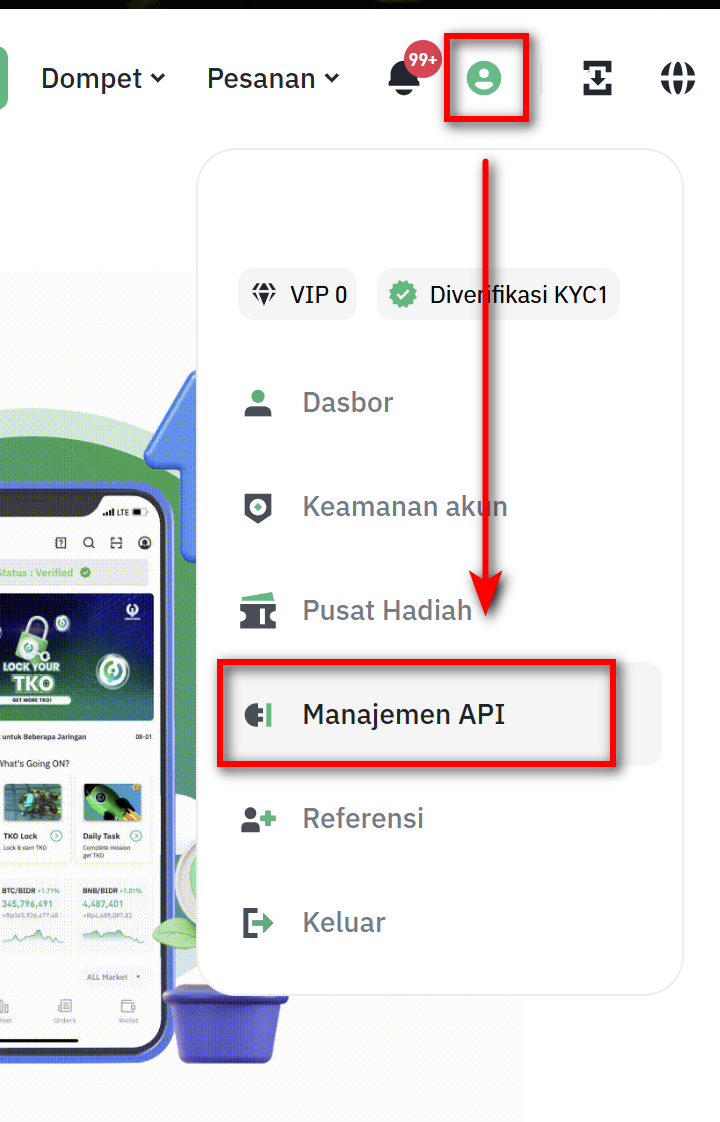
Login to your Tokocrypto account. Click the profile icon then select "API Management".
Create New API
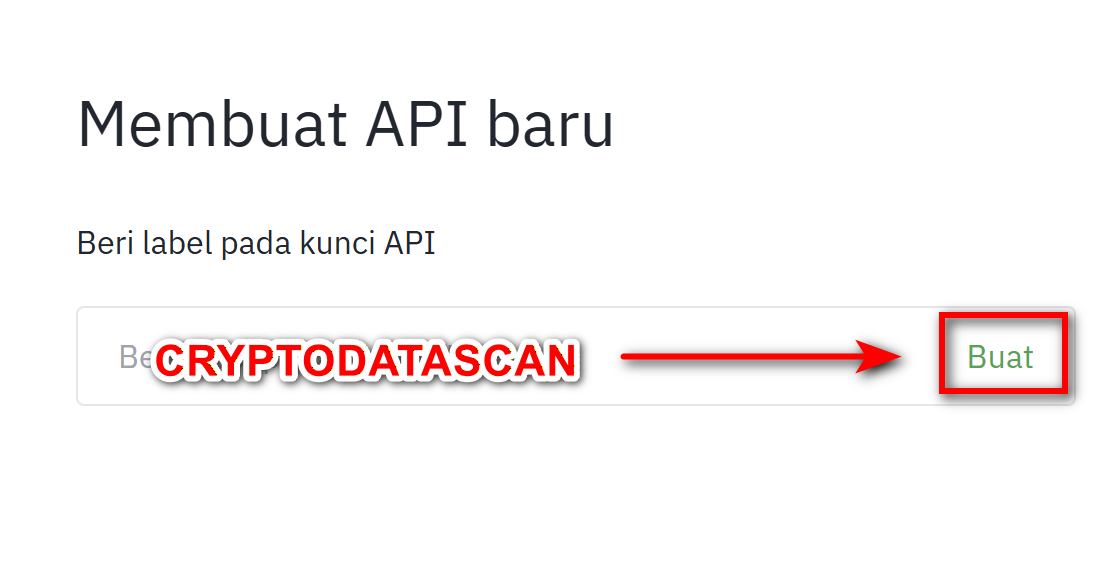
Enter a label (e.g., "CRYPTODATASCAN") and click "Create".
Security Verification
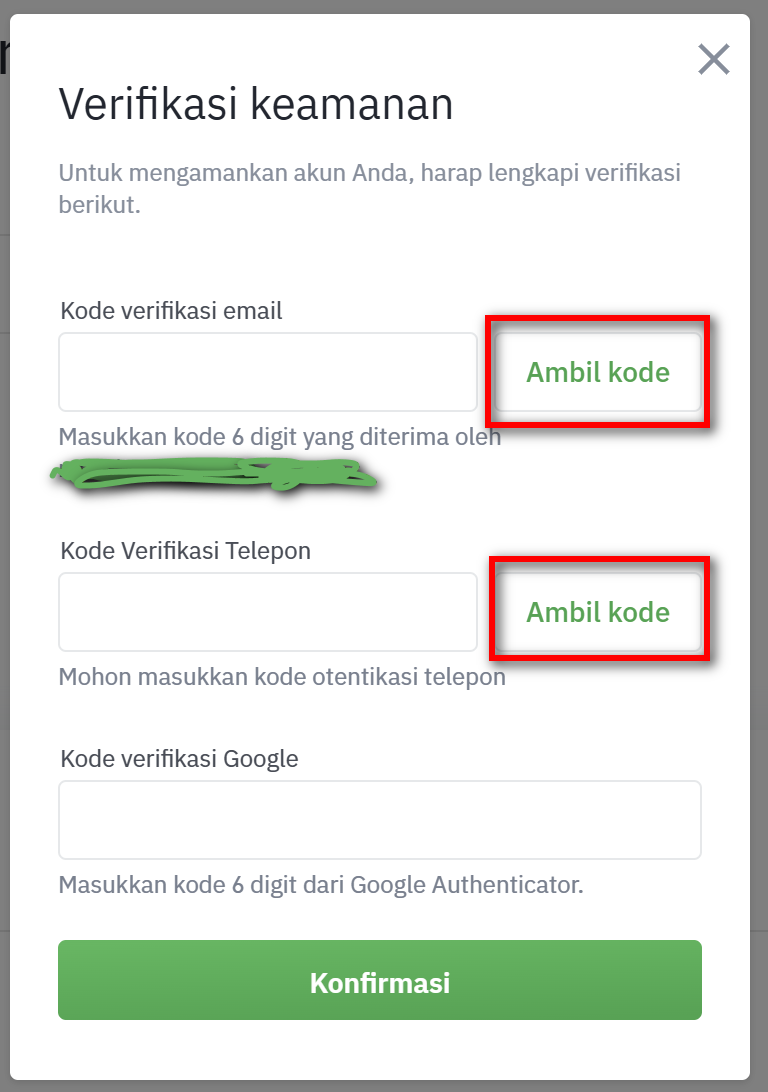
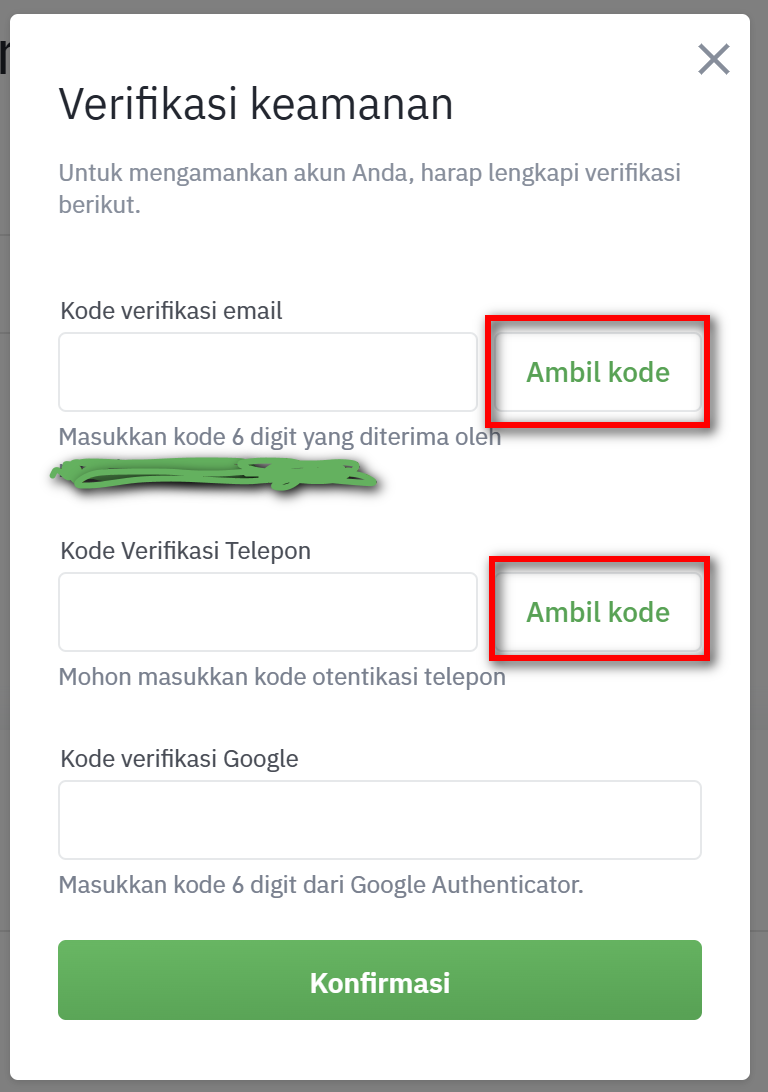
Complete required verifications (Email, SMS, Google Auth). Click "Get Code" to receive it.
Save API & Secret Key
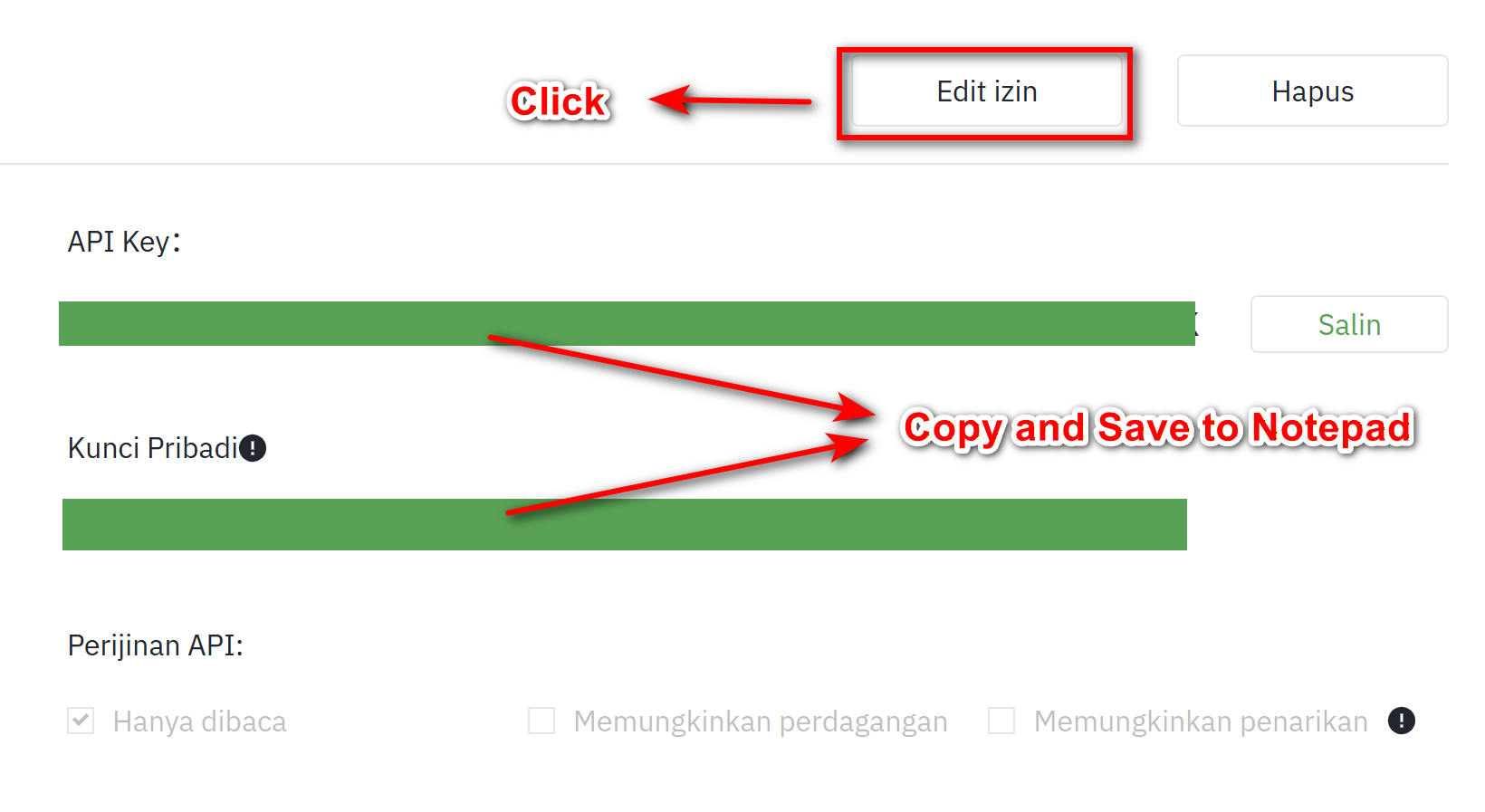
IMPORTANT: Immediately copy API Key and Secret Key to a safe place. Then click "Edit Restrictions".
Set Permissions (Read Only)
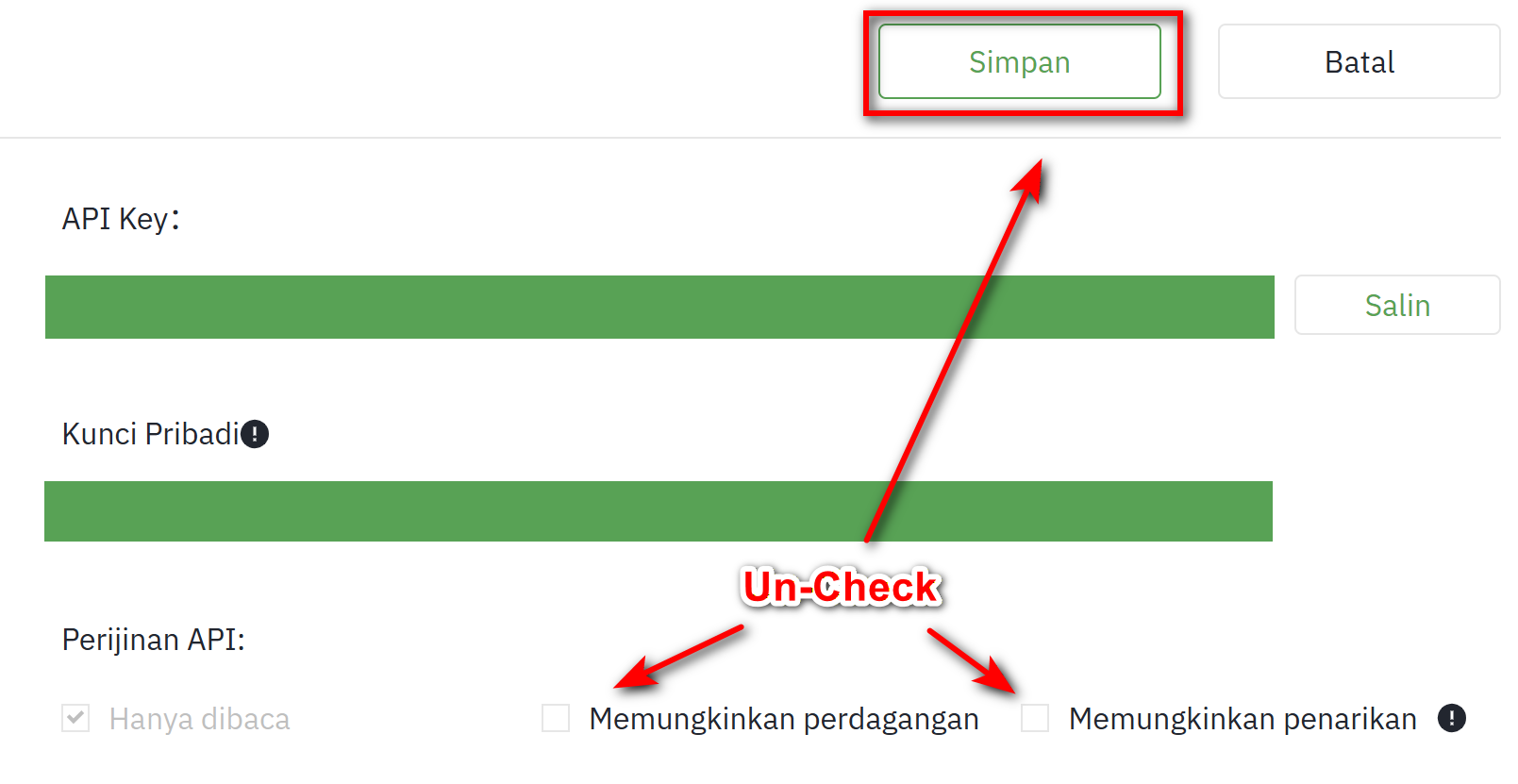
Uncheck everything except "Read Only". We do not need trade or withdraw permissions. Click "Save".
Final Verification
Click "Save" on the Edit Restrictions page. You will be asked to verify again.
Open API Settings in Journal
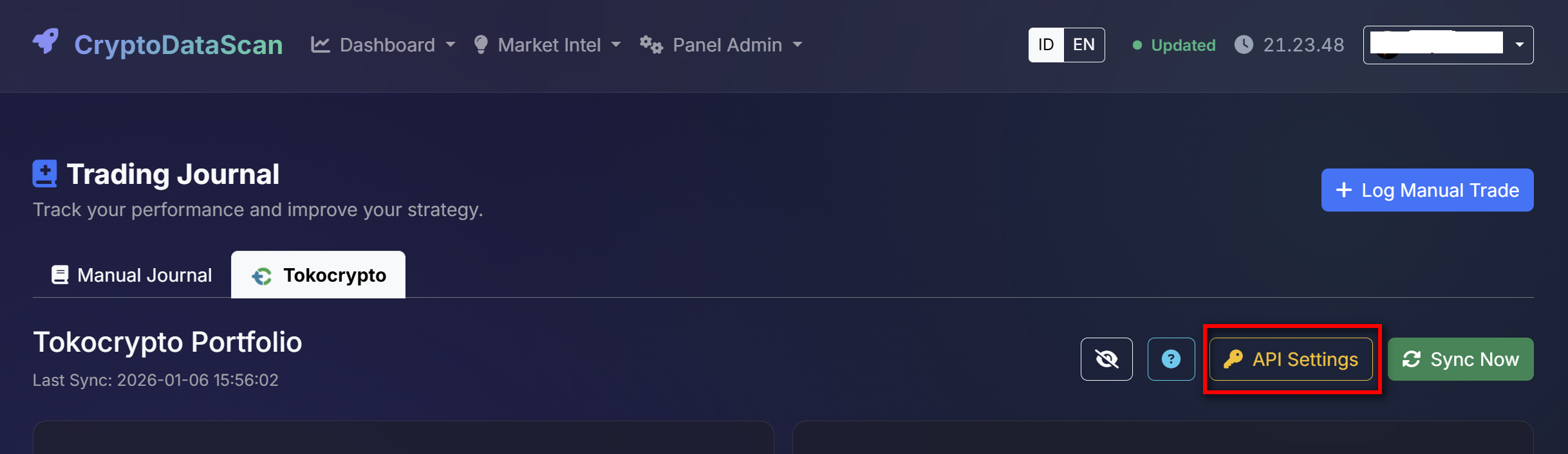
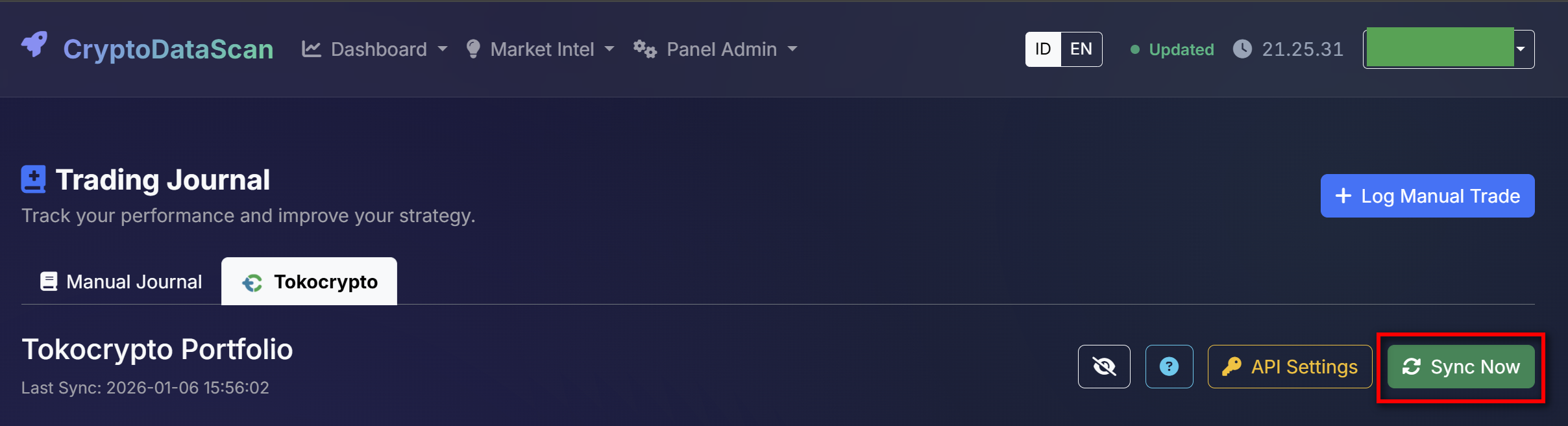
On CryptoDataScan, go to Journal > Tokocrypto tab > click yellow "API Settings" button.
Enter API Credentials
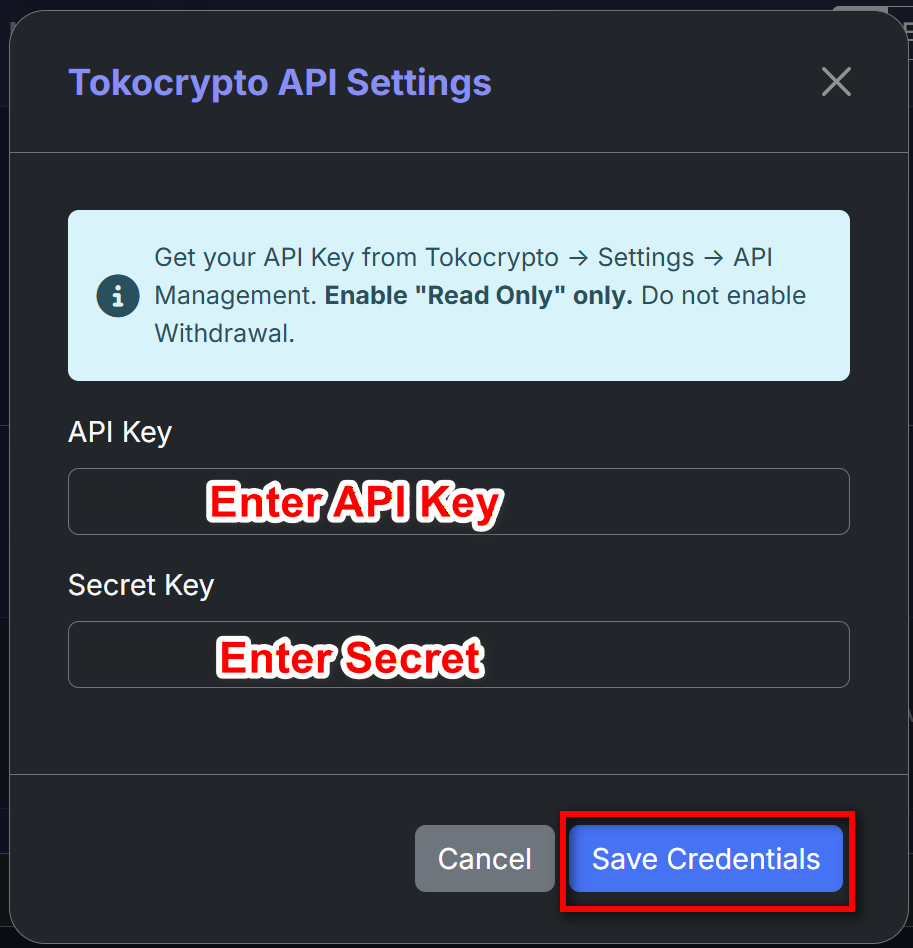
Enter your API Key and Secret Key, then click "Save Credentials".
Sync Portfolio Data
After saving, click the green "Sync Now" button to automatically sync your data.
Data Safety
We only store your API Key encrypted and use Read Only permission. We never ask for trade or withdraw permissions.
 Login with Google